Skip to content
Made for the people
who make the news.
India’s newsrooms.
Every language. Every desk.
The newsroom OSReporting · Wires · AI assistance · Editorial decisions · Pages · Website · Social

Every desk connected.
Every decision yours.

The work behind
every story, together.

One shared workspace for reporting, wires, AI assistance and approvals, from any language to your publication language. Each story then goes on to the page, the website and your accounts.

Inside the newsroomFictional Guntur story · AI-generated images
Guntur · AgricultureTelugu reporting

ధాన్యం కొనుగోళ్లలో
రైతుల సమస్యలు

Paddy procurement: concerns from the farmers.
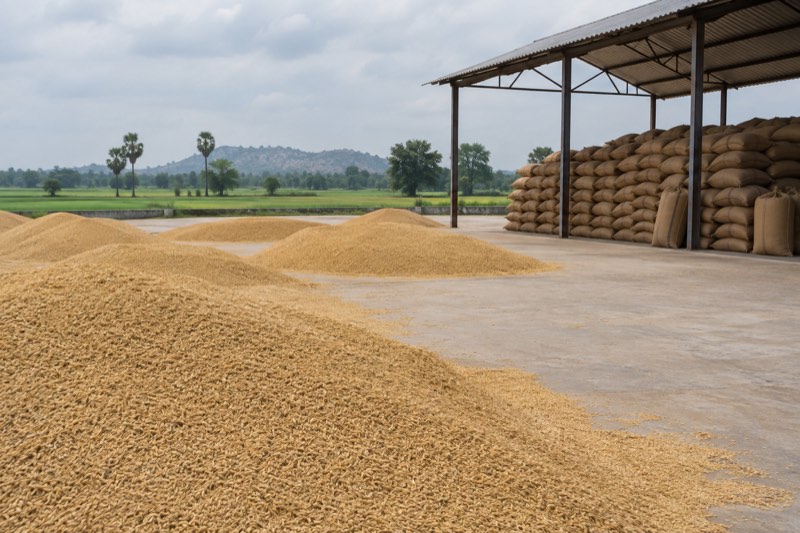
Illustrative paddy procurement yard with piles of grain and collection sheds

Guntur procurement yard · Illustrative image, not documentary photography.

SureshReporter · Guntur
From the field

The story starts close to home.

Words, photographs and local context arrive together. The reporter can follow the story through the newsroom.

Original report

Suresh files in Telugu: farmers waiting at the procurement centre ask for quicker weighing and collection. Two photographs accompany the report.

Original reporting and supporting photographs stay with the story.

Any language in. Publication language out.Follow a story through Sanchika →
Our newsroomsIn print every day with Sanchika

Trusted by
these newsrooms.

  • Mana Telangana

    Mana TelanganaTelugu daily, Hyderabad

  • Telangana Today

    Telangana TodayEnglish daily, Hyderabad

  • Namasthe Telangana

    Namasthe TelanganaTelugu daily, Hyderabad

Any language / Publication languageIndia’s 22 scheduled languages and English

Any language in.
Publication language out.

Sanchika isn’t built around one language. A reporter files in whatever they write in. If that’s your publication language the copy is edited; if it isn’t, it’s translated into it, with the original kept beside it for your editors to check.

Your reporters
File in any of them, from any phone. Nobody picks a language first.
Your desks
Type your language on an English keyboard, with nothing to install, in 19 of the 22.
Your pages
Pages and clippings print in your publication language, right to left for Urdu, Kashmiri and Sindhi.
Your voice
Your house style, set out for your language, and more than one publication language if you have them.

Editors review translation for meaning, names and local context. The app’s own menus are in English.
অসমীয়াবাংলাबर’डोगरीEnglishગુજરાતીहिन्दीಕನ್ನಡکٲشُرकोंकणीमैथिलीമലയാളംমৈতৈলোন্मराठीनेपालीଓଡ଼ିଆਪੰਜਾਬੀसंस्कृतम्संतालीسنڌيதமிழ்తెలుగుاردو
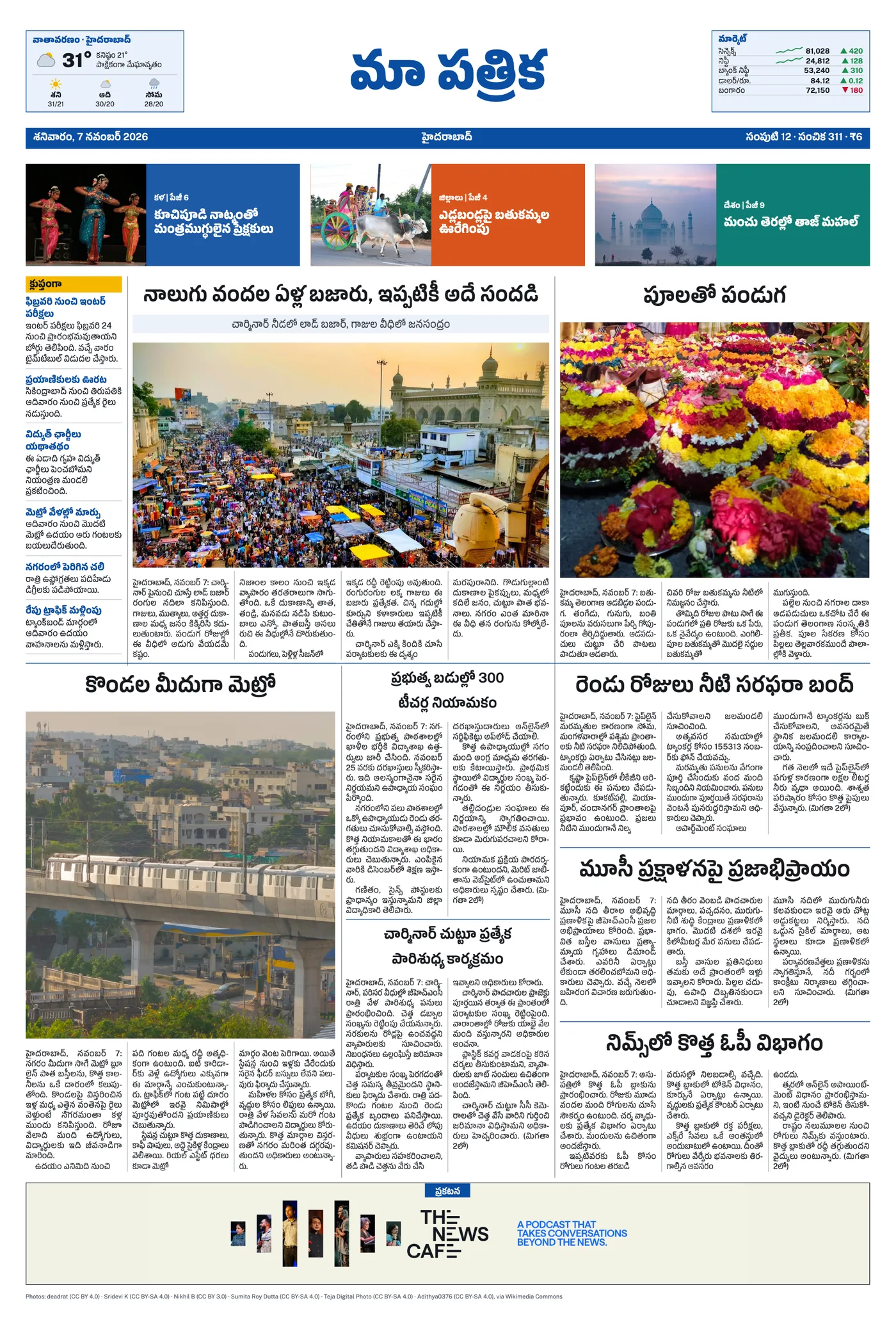
A sample Telugu front page: the old city's bazaar seen from Charminar, the Bathukamma festival, a metro photo story and five news stories, with an advertisement across the foot.
A Telugu front page, set by Sanchika. A sample: the paper and its news are invented. Photographs, cropped for the page: deadrat, CC BY 4.0 · Sridevi K, CC BY-SA 4.0 · Nikhil B, CC BY 3.0 · Sumita Roy Dutta, CC BY-SA 4.0 · Teja Digital Photo, CC BY-SA 4.0 · Adithya0376, CC BY-SA 4.0, via Wikimedia Commons. The advertisement is The News Cafe’s.
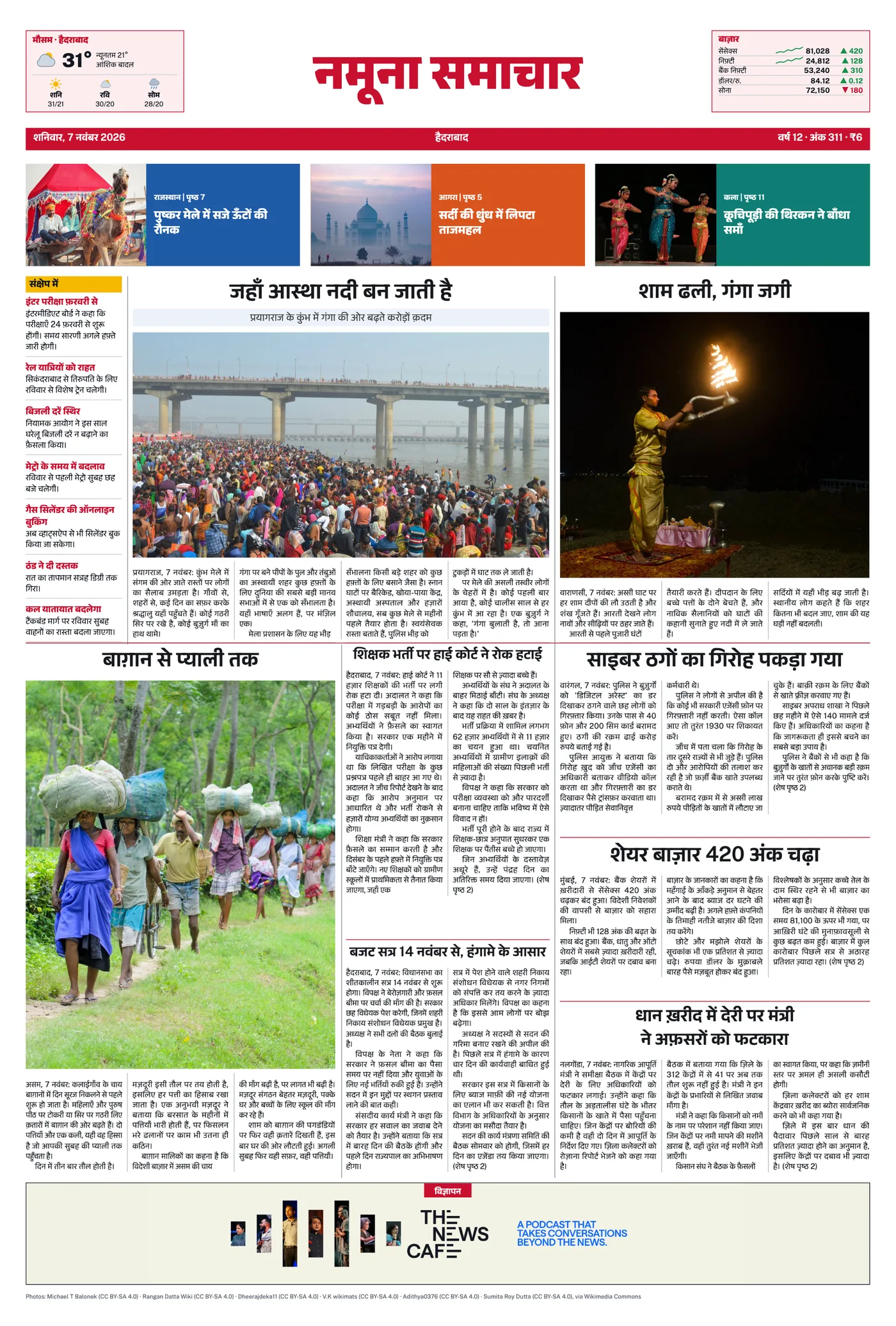
A sample Hindi front page: the Kumbh crowd by the Ganga, the evening aarti in Varanasi, a tea garden photo story and five news stories, with an advertisement across the foot.
A Hindi front page, set by Sanchika. A sample: the paper and its news are invented. Photographs, cropped for the page: Michael T Balonek, CC BY-SA 4.0 · Rangan Datta Wiki, CC BY-SA 4.0 · Dheerajdeka11, CC BY-SA 4.0 · V.K wikimats, CC BY-SA 4.0 · Adithya0376, CC BY-SA 4.0 · Sumita Roy Dutta, CC BY-SA 4.0, via Wikimedia Commons. The advertisement is The News Cafe’s.
01 / The storyFrom the field to the final call

A good story deserves
a connected newsroom.

A fictional Guntur story through a working day, on the real product. Same report, same source material, a clear owner at each step.

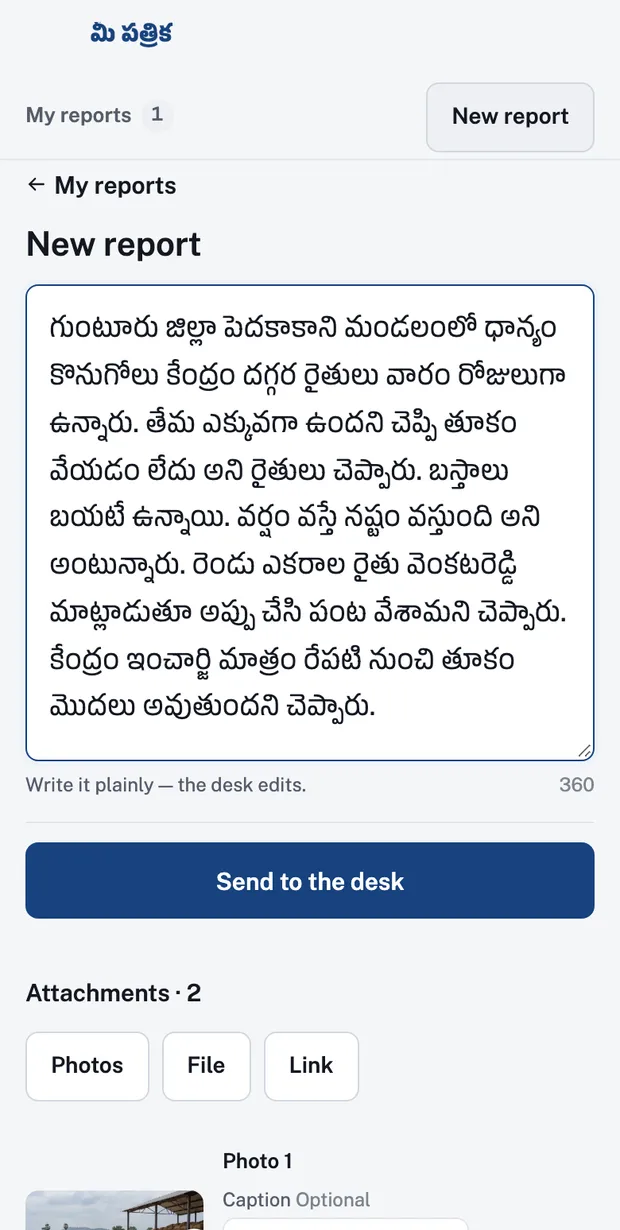
Sanchika’s New report screen on a phone, with a report typed in and two photographs attached.
01 / Report

Suresh files from Guntur.

A report on paddy collection, two photographs and the farmers’ account, filed from a phone.
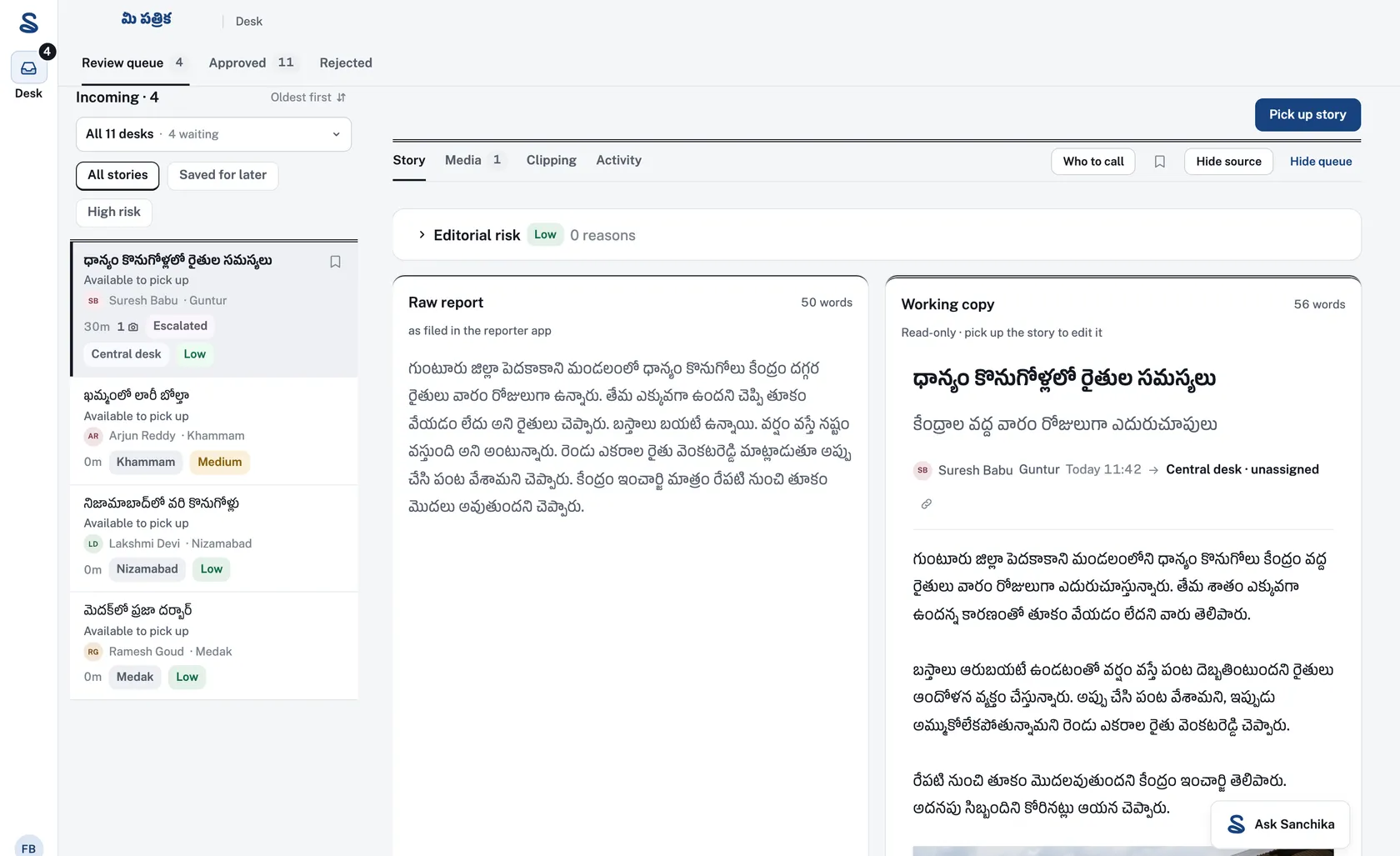
The editor’s desk in Sanchika: the review queue, the reporter’s report and the working copy side by side.
02 / Review

Anitha checks the context.

The district desk checks the centre’s response, then hands the report to the central desk with context.

03 / Refine

Fatima sharpens the copy.

The original on one side, the copy on the other. Ask Sanchika for a shorter headline, and check it before using it.
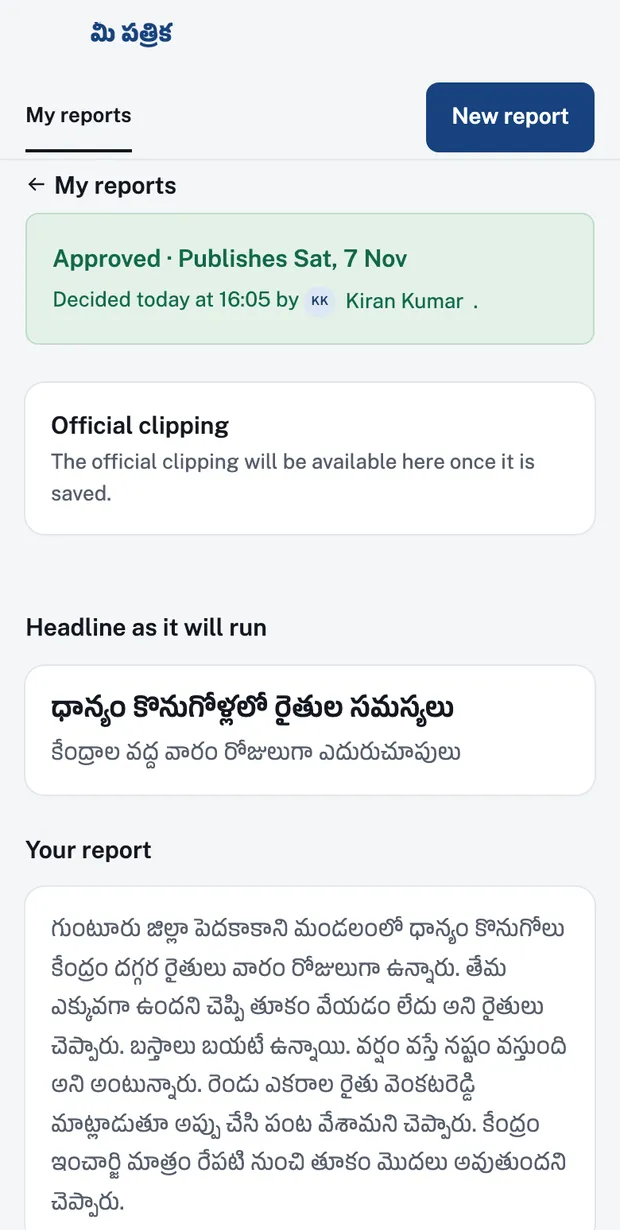
A reporter’s approved story on a phone: who decided, when it publishes and the headline.
04 / Approve

Kiran approves.

The authorised editor approves the final copy, and the decision comes back to Suresh’s phone.
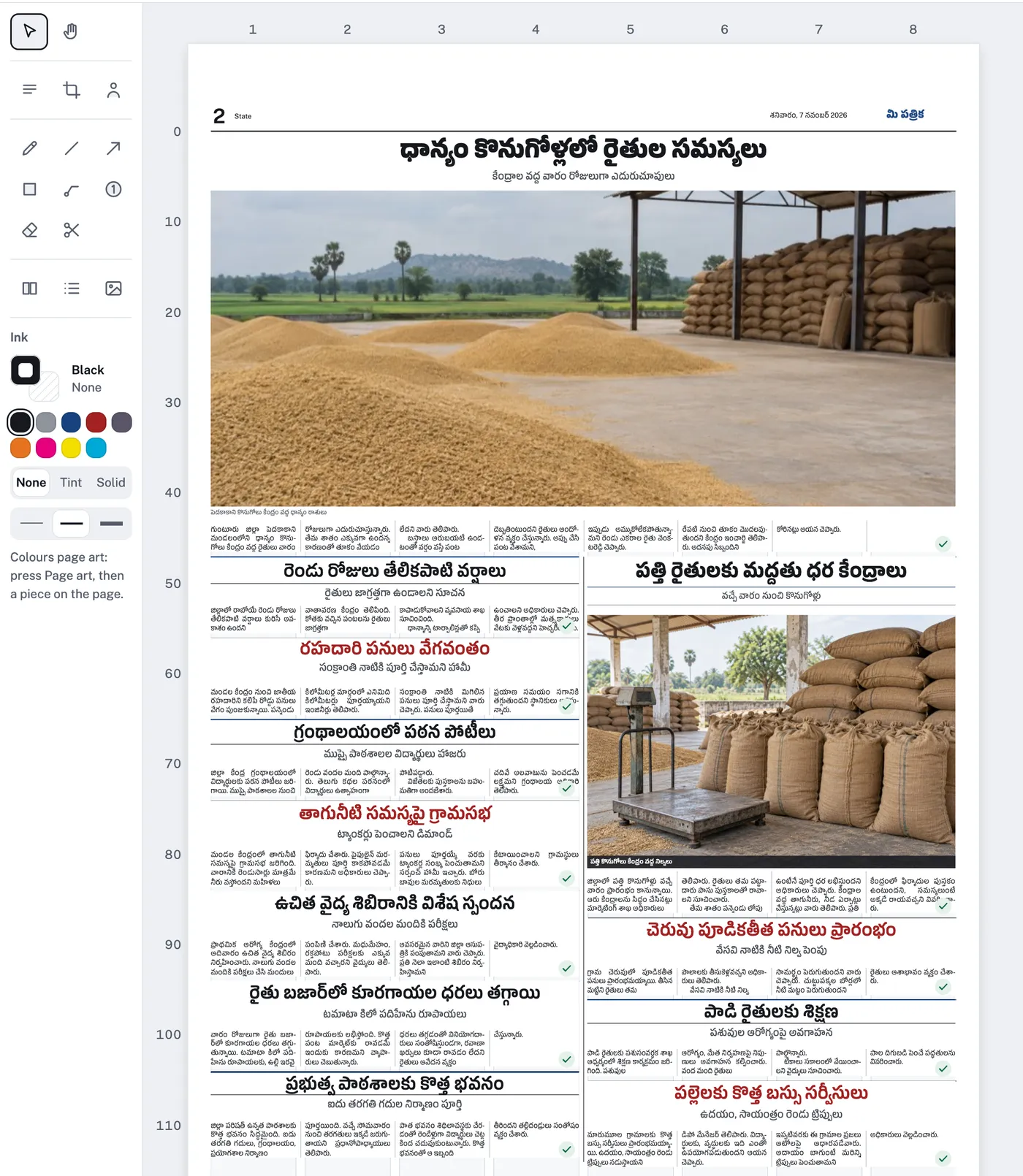
A Telugu page laid out in Sanchika’s page studio, with the Guntur story leading.
05 / Print

Sunita lays page 2.

The approved story is already there, ready to set.
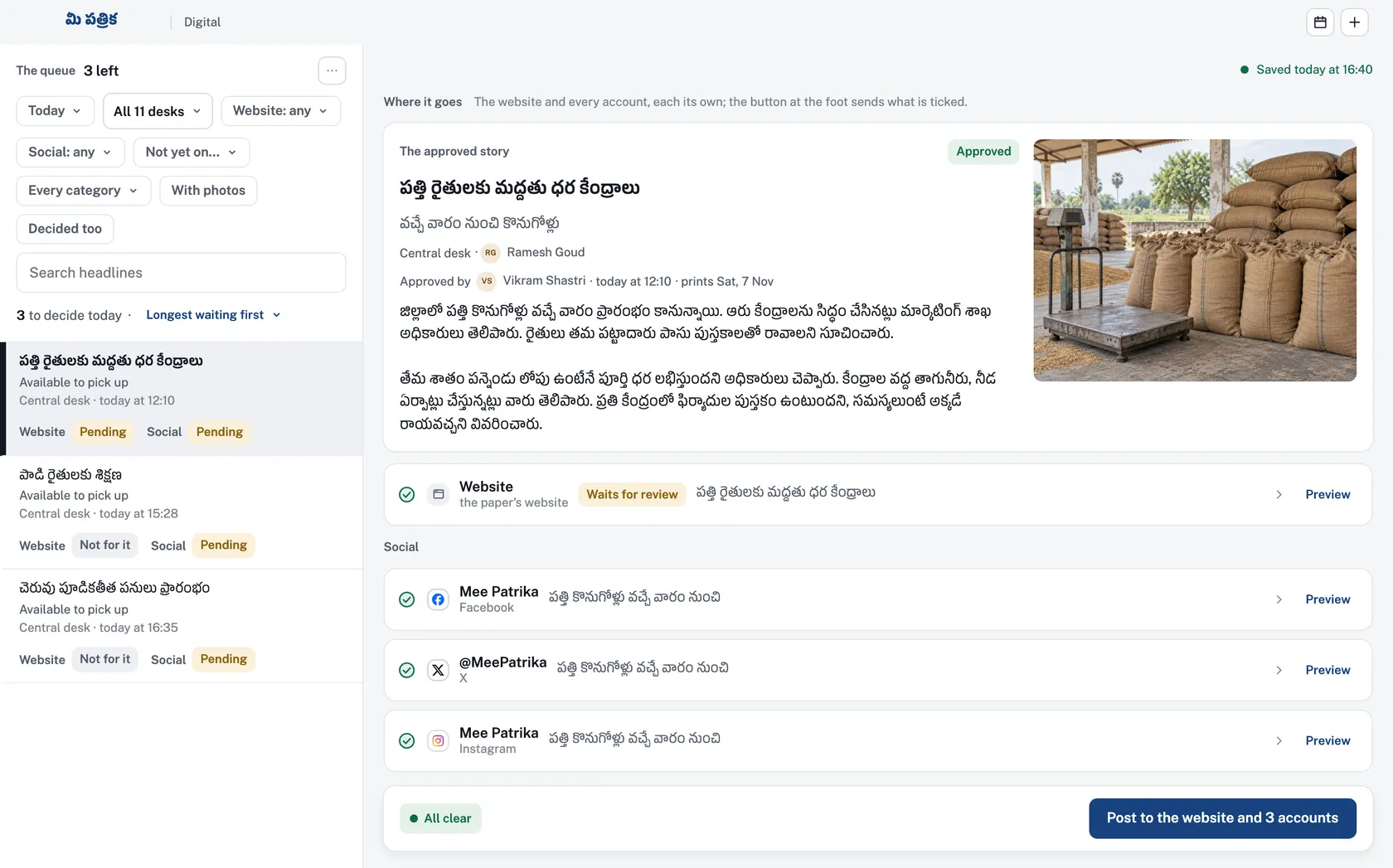
The Digital desk in Sanchika: an approved story with the website, Facebook, X and Instagram listed under it.
06 / Online

Srinu takes it to your readers.

The website and each account on one screen, each with its own words.

Your seatOne story. One day. Five people.

The same story,
from every chair.

Follow the Guntur report through a working day, then read it from your own seat.

  1. Sureshfiles from the yard
  2. Fatimareads it against the original
  3. Srinutakes it online
  4. Sunitamakes page 2
  5. Rajeshsees the day whole
02 / The peopleYour newsroom, your rules

The software follows
your newsroom.

Keep your hierarchy, your editorial standards and your final say.

01

Your desks and handoffs.

Map your existing newsroom. Choose who reviews, where stories move and who can approve.

02

Your choice of assistance.

Choose supported AI providers and models, guided by your publication’s voice and preferences.

03

Your editors in control.

Review suggestions, refine the copy and make the publication decision.

Explore newsroom setup →
An example newsroom

Many perspectives.
One editorial thread.

  1. 01
    Reporting
    Reporters in the fieldWords, photographs, local context
  2. 02
    Desk review
    District deskLocal context
    City deskOn-the-ground judgment

    Stories follow the route your newsroom defines.

  3. 03
    Editorial refinement
    Central deskReview, refine and carry context forward
    Specialist reviewConsult when needed. Return to the editorial desk.
  4. 04
    The final call
    Authorised editorApproval stays with your team

Illustrative people and route. You choose the desks, handoffs and approval rights.
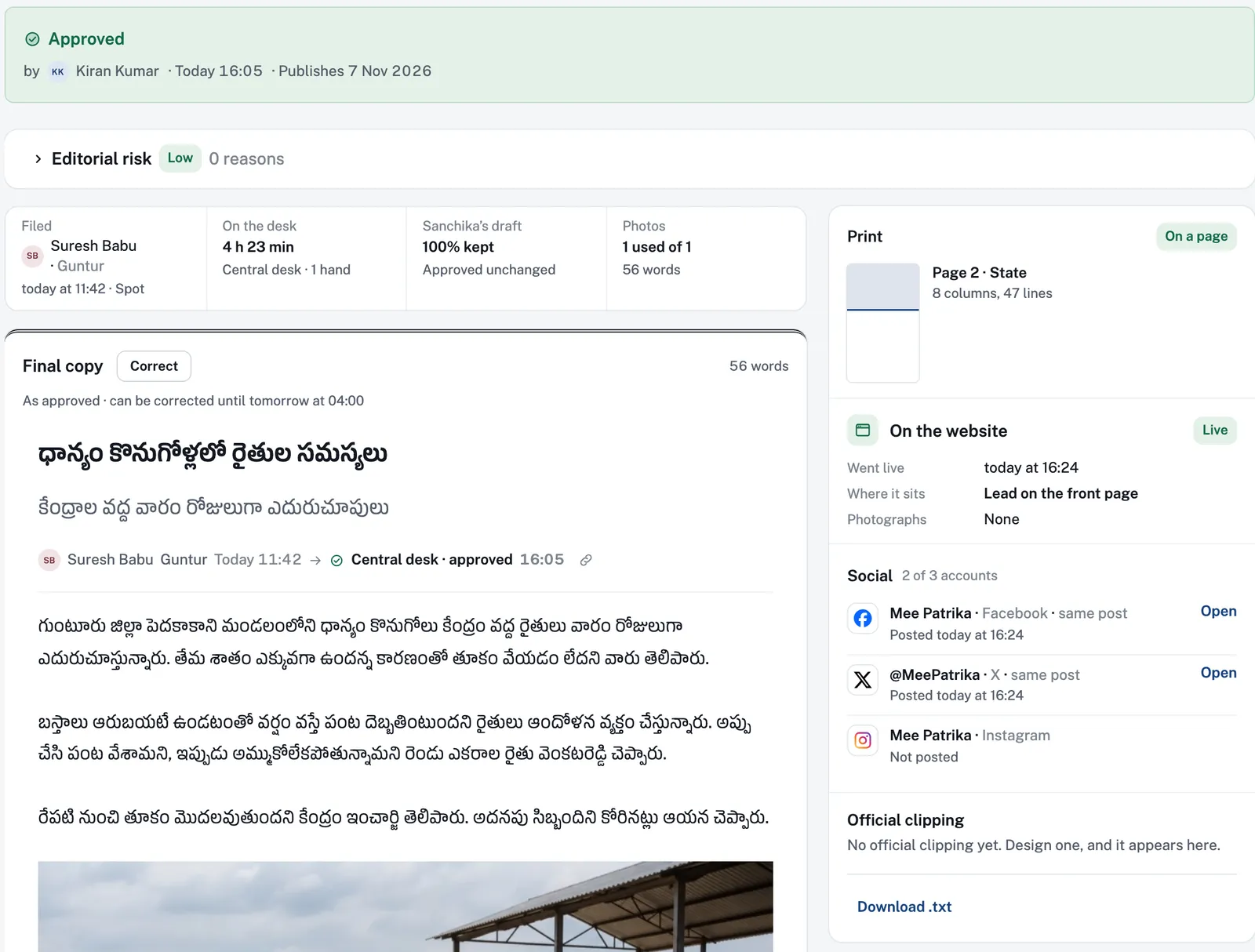
After approval / Where it goesThe same story, on its way to the reader
An approved story’s page in Sanchika showing who filed and approved it, and its place in print, on the website and on social.
A real screen, on a sample newsroom
From the editor’s decision to your readers

From the desk
to the reader.

An approved story moves on in one piece, and nobody retypes it or copies it across. Its own page says where it went and where it stands, so the desk can answer “did that run?” without asking around.

On the page
Laid out in your own columns. The page planner’s edition →
On your website
On your own WordPress site.
On your accounts
Each post with its own words, sent by your Digital desk. The digital edition →

Pages is added to a media house’s plan.

Production / PDF exportThe approved story, ready to leave the desk

Illustrative clipping · Your publication’s masthead

From editorial approval to the production team

Your masthead, your page.
Ready for the next edition.

Export the approved story as a print-style PDF: your masthead, final headline and copy, selected photographs, captions and credits. Or download the approved text for the next step in production.

The right version
Exports use approved final copy.
The whole clipping
Up to four selected photographs in the PDF.
A traceable handoff
Downloads appear in the story’s journey.
Follow the story through the day →
Coverage / The wire deskAgency news meets editorial choice
Your reporting. A wider perspective.

Bring the wires
to your desk.

Fetch agency copy and photographs, browse the pool and take the stories your newsroom needs. A selected item becomes a story in your newsroom’s review workflow. Editors choose what enters the queue.

Connect PTI text and pictures using your subscriptions. ANI is available on request during onboarding.

Explore the wire desk →
The wire deskIllustrative coverage · Not live agency copy
01 / Agriculture

Procurement policy: the national picture

Agency context alongside Suresh’s local reporting.

In the pool
02 / Pictures

Look beyond the headline

Browse available agency photographs and their credits.

Editor selects
Fetch latestBrowse & takeDesk review
03 / The recordIntegrity in the newsroom

The story changes.
Its history
stays in view.

Clear ownership. A record you can follow.

See how accountability works →
01

Keep the original.

Return to the reporting and supporting material behind the copy.

02

Know who holds the story.

See the responsible desk and follow editorial handoffs.

03

Trace the decision.

Keep an editorial audit trail through review, AI assistance and approval.

04 / The wider pictureMore coverage. More choice.

The services you use.
Closer to the work.

Bring agency coverage and your choice of AI assistance into the editorial workspace.

Wire services

A wider lens on the news.

PTIANI

Connect PTI copy and photographs. ANI is available on request during onboarding, with your agency subscriptions.

AI assistance

Intelligence, with editorial judgment.

Anthropic
OpenAI
Google Gemini

Supported AI providers. Choose the available models that suit your newsroom, with the required provider connections in place.